
Dictionary and rules
Two lists on the sidebar change the recognised text before it is inserted. Both run on your computer, and if either fails for any reason the dictation continues with the text as it was.
Dictionary
The Dictionary page lists words the recogniser tends to get wrong. Each entry has:
- the right spelling, for example
kubectlor a colleague's name; - up to 10 spellings it is heard as, for example
cube control.
Right after recognition, every heard-as spelling in the text is replaced with the right one, before AI polish and the rules. The right spellings of enabled entries are also sent as a hint to cloud recognition and to AI polish, which keep them as written. Local models take no hints, so for them the dictionary works through the corrections alone.
Matching works like this:
- Letters are matched regardless of case.
- In languages written with spaces, only whole words match:
catis not replaced insideconcatenate. - Chinese, Japanese and Korean text is matched anywhere in the text.
- The longest match wins, and a replaced word is not matched again.
The Try it box on the page shows what the dictionary changes in a sample text; Use the last dictation fills it with your latest recording. In the history, Add to dictionary creates an entry from a word that was misheard.
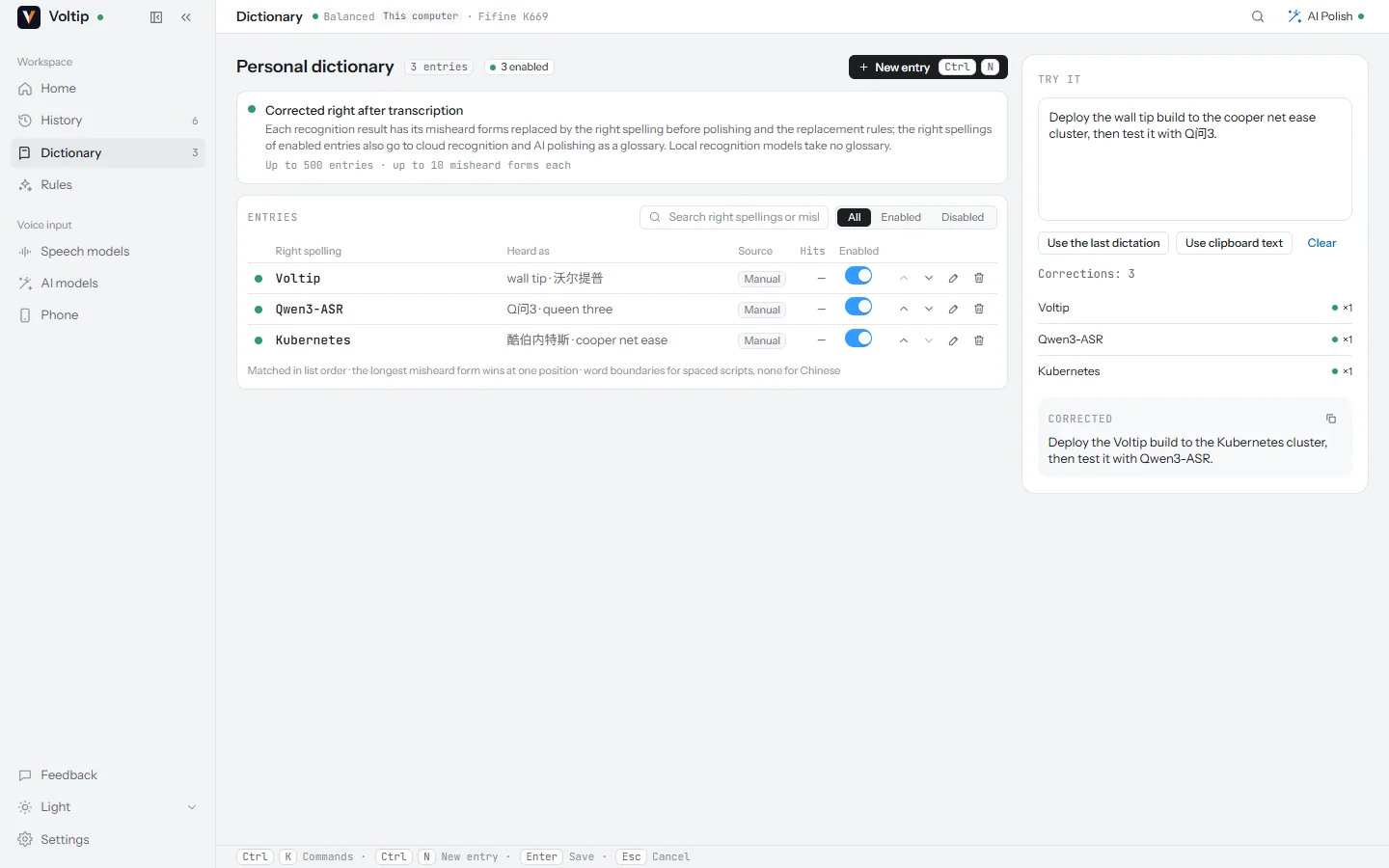
The dictionary holds up to 500 entries. Their order is their priority when the hint to cloud services has to be shortened.
Replacement rules
The Rules page rewrites the final text, after AI polish, in the order of the list. Each rule has:
- a name;
- a literal pattern or a regular expression;
- the replacement, which may be empty to delete the match;
- whether letter case must match.
Regular expressions use Rust syntax: groups can be referred to as $1, but look-around and back-references are not available. A rule that fails to compile is rejected when you save it.
Rules can be imported from and exported to a TOML file, for example:
version = 1

[[rule]]
name = "git push"
kind = "literal"
pattern = "give it push"
replacement = "git push"

[[rule]]
name = "PR number"
kind = "regex"
pattern = '\bpr (\d+)'
replacement = "PR #$1"
case_sensitive = false
Importing either replaces the list or merges into it, matching rules by name. The rules list holds up to 200 rules. Test run passes a sample text through the dictionary and every enabled rule, without inserting anything.
Simplified and Traditional Chinese
Under Chinese script on the Speech models page's Recognition tab, choose Simplified (default), Traditional or As recognised. The script is converted right after recognition, so the dictionary matches the characters you chose.