
Local recognition
With a local model, your recordings are recognised on your computer and no audio leaves it. Open Speech models in the sidebar, choose This computer, and download a model.
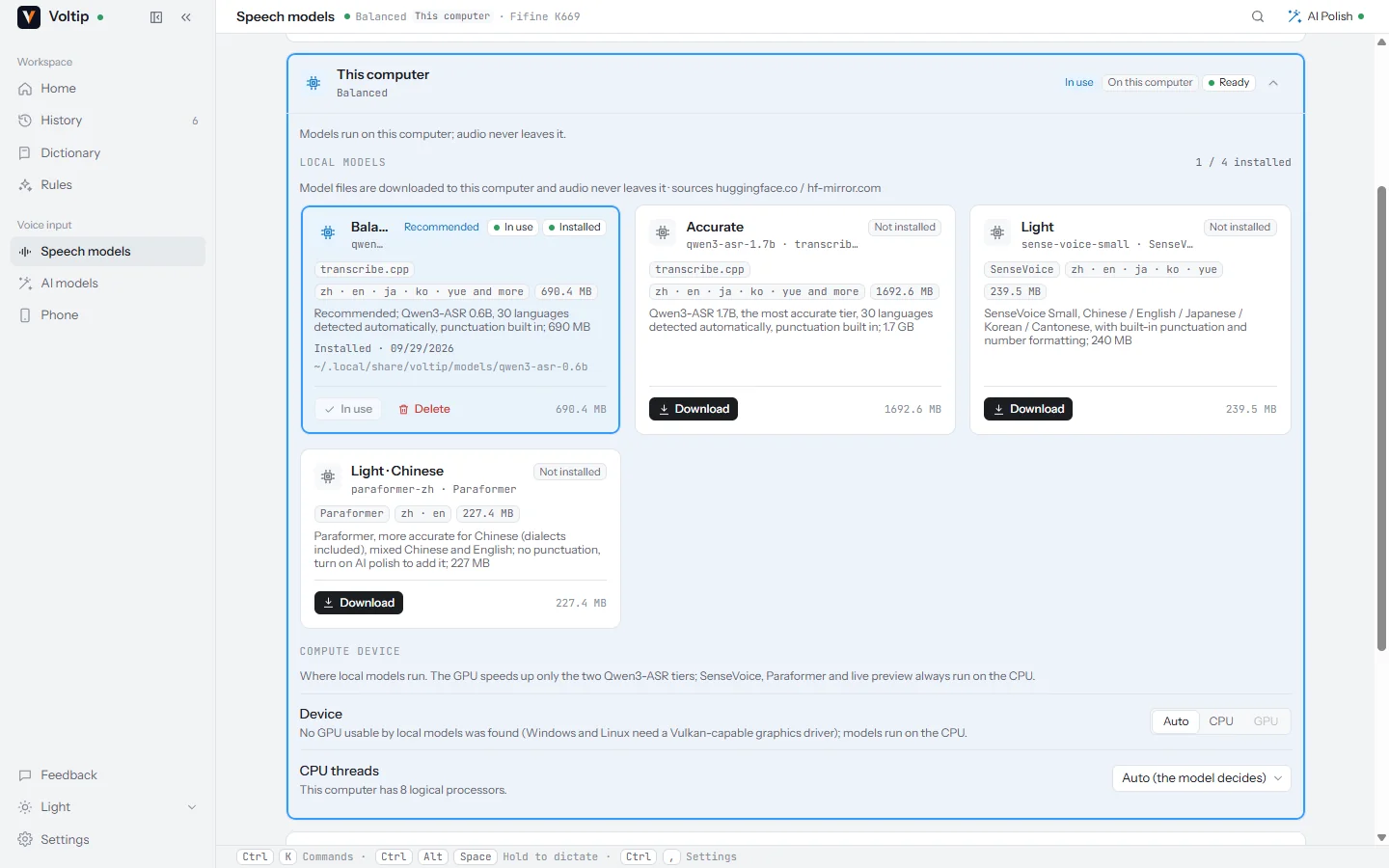
The models
| Model | Size | Languages | Runs on | Notes |
|---|---|---|---|---|
| Qwen3-ASR 0.6B | 690 MB | 30 languages, detected automatically | GPU or CPU | Recommended. Writes the punctuation itself |
| Qwen3-ASR 1.7B | 1.7 GB | 30 languages, detected automatically | GPU or CPU | The most accurate, and slower. The same model the built-in service uses |
| SenseVoice Small | 240 MB | Chinese, English, Japanese, Korean, Cantonese | CPU | The smallest download. Writes punctuation and normalises numbers |
| Paraformer | 227 MB | Chinese, including dialects, mixed with English | CPU | More accurate on Chinese. Writes no punctuation; AI polish can add it |
| Live transcription | 169 MB | Chinese and English | CPU | Shows the words while you speak. The final text still comes from the model above |
The Language setting on the Speech models page's Recognition tab is passed to the models and services that accept one. Qwen3-ASR always detects the language itself.
When Silence trimming is on, a 1.8 MB silence detection model is downloaded with the first local model.
Downloading
- Release packages download from the project's own mirror first, then from Hugging Face, then from hf-mirror.com. When a source is slow or unreachable, Voltip switches to the next one by itself.
- An interrupted download resumes where it stopped.
- Every file is checked against a SHA-256 hash before it is used.
- Before a download starts, Voltip checks that there is enough free disk space.
The models are stored in the models folder of Voltip's data folder (where that is). Deleting a model on the Speech models page removes its files.
CPU or GPU
Under This computer, Run on offers:
- Auto (default): the graphics card when this computer has one Voltip can use, otherwise the processor.
- CPU: always the processor. CPU threads sets how many it uses.
- GPU: the graphics card, and which one if there are several.
Only the two Qwen3-ASR models use the graphics card: through Vulkan on Windows and Linux, which needs a graphics driver with Vulkan support, and through Metal on a Mac. SenseVoice, Paraformer and the live transcription model always run on the processor. If the graphics card cannot be used, Voltip falls back to the processor and dictation continues.
The first run on a graphics card takes longer, because the driver prepares the model for it once: about 13 seconds on an NVIDIA L40S and about two minutes on a Tesla T4 in our measurements. Later runs start quickly.
Measurements
Qwen3-ASR 0.6B recognising 16 seconds of Chinese speech, after the first run:
| Computer | Device | Loading | Recognition |
|---|---|---|---|
| Linux, NVIDIA L40S | GPU (Vulkan) | 0.58 s | 0.16 s |
| Linux, same computer | CPU, 8 threads | — | 2.87 s |
| Windows, NVIDIA Tesla T4 | GPU (Vulkan) | 1.6 s | 0.28 s |
SenseVoice Small recognised the same recording in 0.2 to 0.34 seconds on a server processor.
Voltip loads the selected model in the background when it starts and after each settings change, so the first dictation does not wait for it.
Processor requirement
On x86 computers, Qwen3-ASR needs a processor with AVX2: Intel processors from 2013 (Haswell) on, and AMD processors from 2015 on. On an older processor, Voltip explains why the model cannot be loaded; use SenseVoice, Paraformer or a cloud service instead. Apple silicon Macs run the models natively.
Chinese script
Some models write Traditional characters for Chinese speech. Under Chinese script on the Recognition tab, choose Simplified (default), Traditional or As recognised. The conversion happens right after recognition, before the dictionary corrections.
From the command line
The same models work without the app's window, for scripts and servers:
voltip-desktop --list-models
voltip-desktop --download-model qwen3-asr-0.6b
voltip-desktop --transcribe-file sample.wav --json
voltip-desktop --list-compute
See Command line for every option.